Adversal 728*90

Tuesday, April 23, 2013

Video: Official Tumblr App for WP8 Released

A lot of you out there are big Tumblr fans, and for good reason; where else can you get your fix of crazy Gifs, cool pictures and inappropriate comments (besides reddit). Well the official Tumblr app for Windows Phone has finally been released, and it's pretty damn awesome!
The app comes with a simple clean interface that allows you to switch between your dashboard/feed and the explore page. Coolest fact of all is that Gifs play instantly on both while scrolling! (check out the video if you don't believe me).
The app is extremely smooth and well written and has a feature unavailable on any other platform, the app can change your lockscreen (and the live tile) to match the latest images from your Tumblr feed!
Grab the app for free from over here:
http://www.windowsphone.com/en-us/store/app/tumblr/ffa2fb4f-61b2-4075-ac7b-488846998b72?appid=ffa2fb4f-61b2-4075-ac7b-488846998b72&signin=true

Saturday, March 30, 2013

How Anyone Can Gain Access to All Your Passwords; Without Typing a Single Line of Code

Just because you never give your friends your Facebook password doesn't mean your account is impenetrable; personally I've accepted the fact that no account is safe, no matter what measures you take. However there's a very simple way to hack/access anyone's email, Twitter, Facebook, YouTube (and any other online service you can imagine) without typing a single line of code.

All that's needed is about 30 seconds of access on your "friends" laptop; and from there countless amounts of information is instantly accessible. Sure we all like to keep our laptops and PC's close; but how many times has a friend asked to "google something real quick" or check their email? Just because you sign out of your accounts doesn't mean you're safe.

The real danger is Chrome's "auto-fill password"; and I'm not talking about the risk of having your friend simply click "log-in" on an already filled out form, there's a very simple way to view all your passwords and usernames in plain text; and it's frighteningly easy.

Chrome's auto-fill saves me loads of headaches, when trying to remember which password goes where; but it's also a security nightmare. By simply heading into the settings (of a computer with auto-fill enabled- and most people have it enabled) you can view each and every single password plus the username.

In Chrome head to settings (the wrench icon)> Show Advanced Settings > and hit Managed Saved Passwords (or just type this into the browser: chrome://settings/passwords ). From there every single password and username for any site you've ever saved is visible; in plain text (hit "show" next to the hidden password to see in plain text). This is all accessible without being prompted for a single password, or security authentication.

The moral is, either turn off Auto-fill passwords, or watch who you give your laptop to; stay safe stay secure.

Wednesday, March 27, 2013

Video Demo of Temple Run on WIndows Phone 8 (Lumia 920 Demo)


Temple Run has finally hit the Windows Phone 8 marketplace, so here's a quick overview of how it looks! Off the top the gram is pretty smooth and runs nicely, in fact I don't see why anyone is complaining; the graphics look just fine.
The "bad graphics" people are complaining about is probably because they've gotten used to the newer better graphics of Temple Run 2. According to most people the graphics are pretty much the same of those from iOS and Android.
What do you guys think?
Grab temple run for your WP8 device from here: http://www.windowsphone.com/en-us/store/app/temple-run/1a7cb5f8-792a-4992-b07a-83874c0795ae

Friday, February 8, 2013

Hitman Absolution: First Look & Thoughts

 Hitman Absolution; the latest edition of the hit Hitman series (see what I did there?) released last November is a pretty cool game; here are some quick thoughts about the game.
 First off, I haven't played any previous version of the game, so I'm completely new to the story line/the whole agent 47 deal. Getting into the story was quite simple, as the tutorial was instructive yet not overly boring. The controls were a mix between predictable/usual and awkward positioned; such as the insistence to use the "Q" button at random times; and the lack of consistency between whether "E" is to interact or "F".
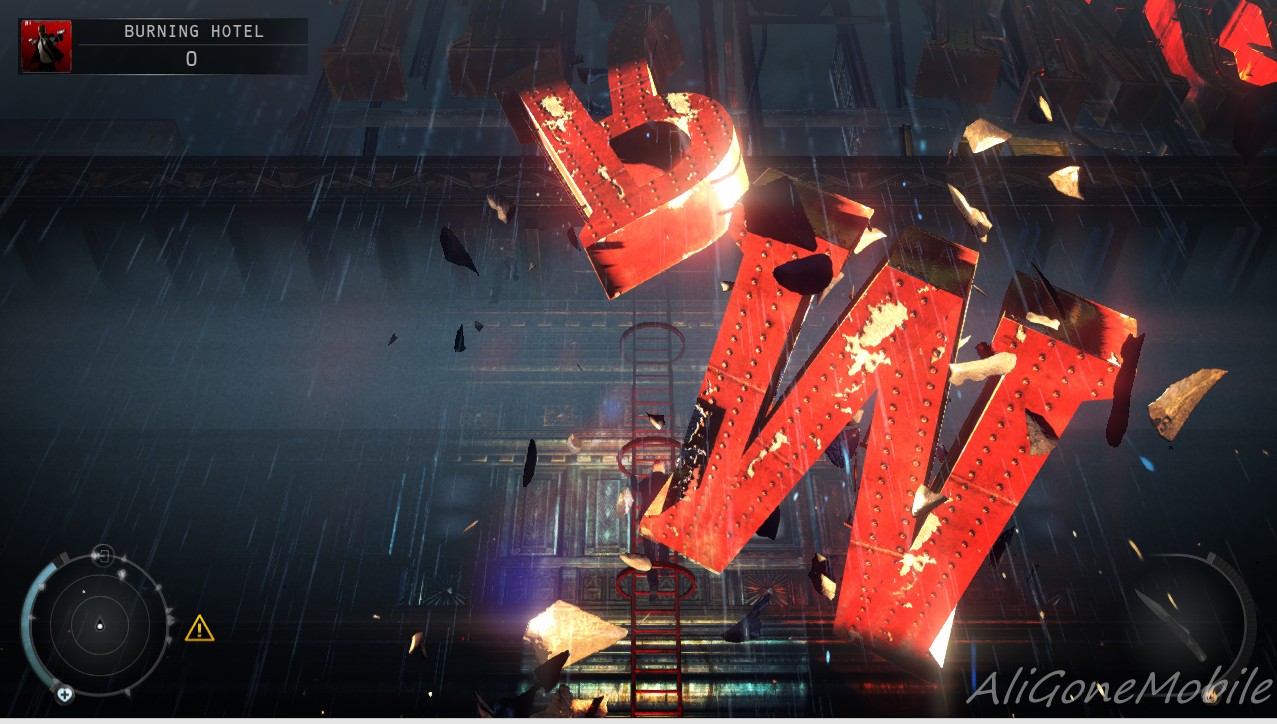
 More importantly on the graphics side the only word to describe them is "stunning". Seriously, the screenshots taken below are running on medium quality on my "decent- but not gaming performance laptop" so I can't help but smile when I think of what the highest setting looks like.
The work rendering itself reminds me most of Batman Arkham Asylum/City as it has the same general look and gloom; and slight softness to people; but of course Hitman Absolution is not an open world game.
 From an actual game-play point of view I was surprised by the fact that there is no strict way to complete the level, there are multiple different ways to take down your targets, all while changing your wardrobe a couple times to blend in with the crowd. Each costume you obtain gives you access to certain privileged locations, and will decrease/increase suspicion from certain people (mainly increasing suspicion from the group of people you're impersonating).
 The game has a scoring system throughout which tracks your progress and adds/deducts points depending on how you compose yourself (deductions for: unnecessary killings, getting spotted, killing civilians etc; points granted for: Hiding bodies, Head shots, completing objectives etc.). Gaining points/rank will unlock abilities that increase Agent 47's skills; such as the ability to kill faster, reload quicker or sneak around quieter.
All in all so far the game is pretty cool, the story line isn't boring at all; but it's just missing that one "X" factor; the simplest way to put it is that I have no compulsion to carry on to the next level once I complete the one I'm playing. What I'm trying to say is that I'm yet to get "sucked in to the game" which is great for my mom and those who want to me to constantly run errands; but not so great to the gamer inside.
But those are just my own two-cents, feel free to drop your own down below.

Thursday, January 24, 2013

The Only Real Alternative To Installous You'll Ever Need

Ever since Hackulous shut down taking installous down with it, people have been on the search for a proper alternative for installous. I've read countless articles talking about VVShare and App cake; well let me spare you the trouble THEY SUCK!
VVShare? With its fancy "Direct Downloads" guess what the speeds don't go over 50 kb/s (that's if you're lucky) and it restarts constantly for no reason at all; making it a nightmare to use even to download the simplest of apps.What about AppCake you say? You mean besides the horrible bugginess that causes it to crash every 5 seconds, and the non responsive built in browser which takes forever to redirect you to a third party hosting site? How about the fact that it doesn't even download the files properly? Rather than go on and raise my blood pressure even more, and risk ending my life before completing this article; I'll go ahead and tell you the one app that you'll need.

One word: Zeusmos. Zeusmos is your all in one replacement for installous; it comes with a clean layout, responsive UI and is actually in fricken English!!! The app supports searching for IPA files online and downloading them from 3rd party hosting clients (just like installous did), you have all the same functionalities (even the same captcha generator) so without explaining myself any further get Zeusmos.
To install Zeusmos simply go to Cydia and add "ihacksrepo.com" to the sources; after that search for "Zeusmos" from within Cydia and install it.

All done, enjoy your slightly less stressful life and thank me anytime.

Thursday, January 17, 2013

How to Jailbreak/Sideload Apps on Windows Phone 8


Windows Phone 8 is one of the more secure OSes out there, in fact just like WP7 it has yet to be hacked in the general sense of the word. However there are ways to install apps on to your phone that aren't from the marketplace; which is the definition of side-loading (or as iOS users have grown to call it; jailbreaking).

The process is quite simple, to side-load apps on WP8 you require a developers account from Microsoft; you can get a FREE one if you are a student with an active .edu account; simply follow these instructions:
After creating your App hub account simply follow the directions in the video down below and enjoy:
 

Tuesday, January 8, 2013

Tip: The Best Way To Listen To Music on Windows 8

Personally I get a bit weirded out when I play music on VLC; not that there's anything wrong with it, but it's just so dull. Music is beautiful, so why shouldn't it be played by something equally beautiful? Which is why I think I've finally found my solution, using the Xbox Music app that comes with Xbox Smartglasses.
 The interface like almost all Windows 8 designed apps is beautiful and simple to navigate, the app itself combines your own library with the music store in on tab. Meaning on the left side of the screen you have your library/playlists, while scrolling to the right will show you recommended/top selling music in the Xbox music store.
 Viewing any song that's now playing will bring up the screen seen above; with random generated pictures of the artist shuffling in the background (or the sidebar if  you pinned it to the side of the screen). scrolling to the right will give you additional info about the artist including a full bio page, latest albums, and additional albums with direct links to purchase them from the Xbox music store... pretty neat.
 Of course you also have the option to play a "Smart DJ Mix" which compiles a playlist from artists similar to the one you're listening to (or more tracks from the same artist), which is usually pretty accurate at detecting what mood of music you feel like listening too (plus it's free!).
Above is a "Smart DJ Mix" generated from listening to a "train song" as you can see it started off with Drops of Jupiter then jumped to some other related music... pretty neat.
But by far the coolest feature that makes this is a must have app is the integration into Windows 8; lowering the volume on your PC (through the keyboard hot keys) will bring up the box seen in the upper left corner in the screenshot above. Finally an app for windows 8 that brings media integration into the volume controls, it shows the track currently being played + Album art as well as Skip/Pause/Previous track options. Plus the obvious fact that since this is a Windows 8 optimized app you can pin it to one side of the screen and your desktop will resize to accommodate it on the left or right side of the screen; giving you a standalone media player that is as un-intrusive as possible.

Download Xbox SmartGlasses from the Windows Store here: http://apps.microsoft.com/windows/en-us/app/xbox-smartglass/571b1120-f579-47d3-88c8-a722652643b3

Sunday, January 6, 2013

Dubai To Be The First Country to Witness BB10 Launch On January 30th

With the impending launch of BB10, the all new OS set to raise BB/RIM from the ashes the launch dates and cities have finally been announced. A total of 6 cities have been chosen across the globe to witness the latest products from RIM; the selected cities are: The launch is set to take palce on the morning of January 30th in each of these cities, 
  • Jo’burg in SouthAfrica
  • New York in the US
  • Toronto in Canada
  • Paris in France
  • London in the UK
  • Dubai in the Middle East
The launch is set to take palce on the morning of January 30th in each of these cities, of course Dubai being in the +4 Timezone would make it the first country in the world to see the new BB10 OS along with whatever new devices are set to be revealed alongside it. The launch in Dubai ahs been scheduled to take place in the iconic Burj Khalifa (the tallest building in the world); a fitting place for the launch of what BlackBerry hopes will carry them into the future. Source

How To Use Middle Mouse Button/Mouse Button 3 With The Microsoft Touch Mouse


One of the greatest design flaws of the Microsoft touch mouse is the obvious lack of. A middle mouse button. Of course this stylish mouse was never meant to be a gaming mouse, but that's no excuse to leave out such an essential design piece when it comes to computer mice.

I personally abuse the middle mouse button while browsing, mainly to open new tabs or close existing ones (noob tip: clicking with middle mouse button on any link in most browsers will open up the link in a new tab, clicking on the tab itself with the middle mouse button closes said tab).

The lack of a middle mouse button here severely cut down on my productivity (or lack of) until I found the simple solution. Using the Microsoft keyboard and mouse program/driver that installs when you connect the mouse you can reassign specific gestures to act as a makeshift middle mouse button.

I personally have set "swipe up with two fingers" to act as my middle mouse button, but to each his own. To change the gesture settings simply open the keyboard and mouse center, then under "gesture Settings" select the gesture you'd like to set as the middle mouse click, then simply accept and exit.

(It's possible some of these gesture options are only accessible through the new Windows 8 Mouse manager client :/ )

Sunday, December 30, 2012

Installous Is No More, Hackulous Packs Their Bags and Say Farewell


In a move that honestly surprised me, Hackulous; the team behind the fan favorite sideloading app "Installous" have closed up shop and said their final good-byes. Attempting to run Installous on any iOS device will now yield the error:
 "Outdated Version
Installous will now terminate"
 
Heading over to the Hackulous website; (hackulous.us) will shed some light on the matter, where you're greeted with a solemn and sad message:

Goodnight, sweet prince.


We are very sad to announce that Hackulous is shutting down. After many years, our community has become stagnant and our forums are a bit of a ghost town. It has become difficult to keep them online and well-moderated, despite the devotion of our staff. We're incredibly thankful for the support we've had over the years and hope that new, greater communities blossom out of our absence.

With lots of love,
Hackulous Team
 
However all is not over for the casual jail breaker and self admitted app pirates out there, there remains a number of alternatives to installous that get the job done, some are better some are quite ugly; we'll leave it to you to decide, but a short list are:
  1. App VV
  2. App Cake
  3. V share
  4. iFunBox
But this is the end of an era... farewell hackulous.